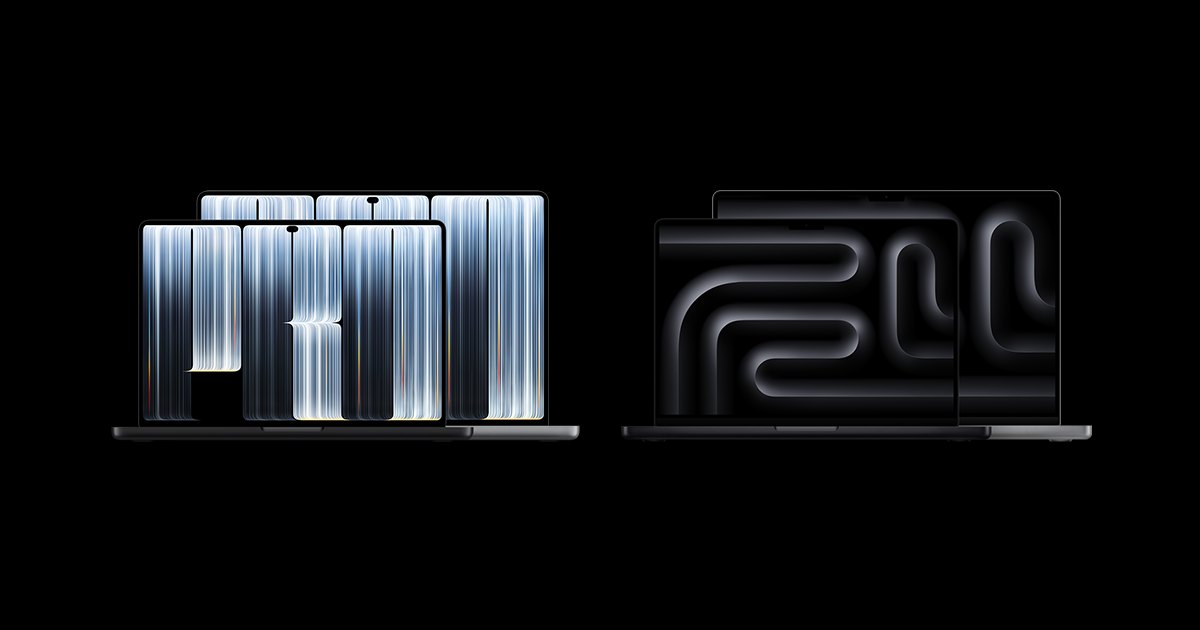
Apple has launched two new MacBook Pro models, and one of them is the first Mac with a touchscreen. It uses a new tandem OLED display that Apple calls PROLED XDR. This guide covers the release date, price, specifications, how the touchscreen works, how it compares with the new M6 model, and the questions people are asking.
Last updated October 29, 2026. Details come from Apple and from reports on Apple's announcement. Prices are in US dollars unless stated.

The short version
| Question | Answer |
|---|---|
| What is new? | A MacBook Pro with a touch display and a tandem OLED screen (PROLED XDR), plus a new 14-inch M6 MacBook Pro without touch. |
| Release date | Pre-orders opened October 28, 2026. In stores from Friday, November 6, 2026. |
| Sizes | 14.2-inch and 16.3-inch displays. |
| Chips | M5 Pro or M5 Max (touch models). M6, M5 Pro or M5 Max (non-touch 14-inch). |
| Price (US) | From $2,899 for the 14-inch touch model. The M6 model starts at $1,999. |
| Battery | Up to 24 hours, according to Apple. |
Release date and pre-order
Apple opened pre-orders on October 28, 2026 on apple.com and in the Apple Store app. The new models arrive at Apple Stores and Apple Authorized Resellers on Friday, November 6, 2026. The 14-inch M6 MacBook Pro was announced the day before, on October 27.
Price
US prices for the OLED touchscreen MacBook Pro, with education pricing in brackets:
| Model | Chip | Price (US) |
|---|---|---|
| 14-inch | M5 Pro | $2,899 ($2,749) |
| 16-inch | M5 Pro | $3,399 ($3,199) |
| 14-inch | M5 Max | $4,499 ($4,199) |
| 16-inch | M5 Max | $4,799 ($4,499) |
The 14-inch M6 MacBook Pro, which does not have touch, starts at $1,999. Canadian prices were not confirmed when this guide was written, so check Apple Canada for the current CAD price.
PROLED XDR: the new OLED display
The big change is the screen. Apple calls it PROLED XDR. It is a tandem OLED display, which stacks two self-lit pixel layers. Each pixel makes its own light, so blacks are fully dark and contrast is very high.
- Brightness: up to 1000 nits sustained, and up to 2000 nits peak for both HDR and SDR.
- Contrast: 10,000,000:1.
- Refresh rate: ProMotion from 10Hz to 120Hz. The screen slows down to save power and speeds up for smooth scrolling.
- Colour: P3 and Adobe RGB wide colour gamuts, calibrated at the factory.
- Finish: an antireflective coating, with an optional nano-texture glass.
- Size: 14.2 inches on the 14-inch model and 16.3 inches on the 16-inch model.

How the touchscreen works
This is the first Mac with a touch display. The touch sensor is built into the panel, not laid on top, which Apple says reduces latency. You still have the keyboard and trackpad. Touch is an extra way to work.
- Swipe to scroll and pinch to zoom.
- Double-tap to make a window fill the screen.
- Flick to tile windows.
- Drag and drop items, for example between presentations.
macOS turns touch into clicks, so the apps you already use work with touch even if they were not updated. Apple's own Pixelmator Pro, Logic Pro and Final Cut Pro gain touch features. Reports say Microsoft Word, Adobe Lightroom, DaVinci Resolve and Blender add touch support later this year. A new hinge keeps the screen steady when you tap it, and video stabilisation smooths your camera image on calls.
Design: lighter, with a Dynamic Island
- Weight: about 3 lb for the 14-inch and about 4 lb for the 16-inch.
- Thickness: the 16-inch is almost 1mm thinner, and the 14-inch is about 0.5mm thinner.
- No notch: a smaller Dynamic Island replaces it and shows Spotlight, Live Activities and Siri.
- Cooling: a redesigned thermal system directs warm air away from the display.
- Sound: a six-speaker system with 50 percent deeper bass.
Performance, memory and storage
The touchscreen models use the M5 Pro and M5 Max chips, the same chips as the earlier MacBook Pro models this year. You can configure up to 128GB of unified memory and up to 16TB of storage. The M5 Pro supports up to three external displays and the M5 Max up to four. The laptops ship with macOS 27.
Ports and connections
- Three Thunderbolt 5 ports
- HDMI
- SDXC card slot
- MagSafe charging
- Headphone jack
- Wi-Fi 7 and Bluetooth 6
- 12MP Center Stage camera
Battery and charging
Apple lists up to 24 hours of battery life on the 16-inch M5 Pro configuration. Fast charging takes the battery to 50 percent in 30 minutes. Your results will depend on screen brightness and what you run.
OLED touchscreen MacBook Pro vs the M6 MacBook Pro
Apple now sells two different new 14-inch MacBook Pros. They are easy to mix up, so here is how they differ.

| OLED touch MacBook Pro | 14-inch M6 MacBook Pro | |
|---|---|---|
| Display | PROLED XDR, tandem OLED | Liquid Retina XDR, mini-LED |
| Touch | Yes | No |
| Peak brightness | Up to 2000 nits (HDR and SDR) | Up to 1600 nits (HDR) |
| Contrast | 10,000,000:1 | 1,000,000:1 |
| Chips | M5 Pro, M5 Max | M6, M5 Pro, M5 Max |
| Ports | Three Thunderbolt 5, HDMI, SDXC, MagSafe | Three Thunderbolt 4, HDMI, SDXC, MagSafe |
| Battery | Up to 24 hours | Up to 24 hours |
| Starting price (US) | $2,899 | $1,999 |
Which one should you buy?
Choose the OLED touch model if
You grade video, edit photos for print, draw or paint on screen, or you simply want the best display Apple has put in a laptop.
Choose the M6 model if
You write, code, browse, run spreadsheets or do casual editing. It costs $900 less than the cheapest touch model and has the same stated battery life.
Consider waiting if
Touch is your main reason to buy. Many third-party apps are still adding touch support, so the experience will improve over the next few months.
Want a MacBook for less right now?
A brand-new Pro laptop is a big spend. If you want a Mac for work or school at a lower price, a refurbished MacBook is worth a look. Every refurbished unit we sell is inspected and functionally tested before it ships, and each listing states its condition. Browse our MacBooks, or read our guides on how to pick the right laptop and our refurbished laptop checklist.
Frequently asked questions
When is the new MacBook Pro with the OLED touchscreen released?
Apple opened pre-orders on October 28, 2026. The new MacBook Pro with the PROLED XDR touch display is available at Apple Stores and Apple Authorized Resellers from Friday, November 6, 2026.
How much does the OLED touchscreen MacBook Pro cost?
In the US, the 14-inch model with the M5 Pro chip starts at $2,899 and the 16-inch model with the M5 Pro starts at $3,399. The M5 Max versions are listed at $4,499 for the 14-inch and $4,799 for the 16-inch. Canadian pricing was not confirmed at the time of writing, so check Apple Canada for the CAD price.
What does PROLED XDR mean?
PROLED XDR is Apple's name for the new display on the touchscreen MacBook Pro. It is a tandem OLED panel, which stacks two light-emitting layers. Apple lists up to 2000 nits of peak brightness, a 10,000,000:1 contrast ratio and a refresh rate that adjusts from 10Hz to 120Hz.
Is the new MacBook Pro really a touchscreen?
Yes. The touch sensor is built into the display panel. You can swipe to scroll, pinch to zoom and double-tap to fill the screen. macOS turns touches into clicks, so apps work with touch even if they were not updated. The keyboard and trackpad are still there.
Does the M6 MacBook Pro have an OLED touchscreen?
No. The 14-inch MacBook Pro with the M6 chip uses a Liquid Retina XDR mini-LED display and does not have touch. It starts at $1,999 in the US. The OLED touchscreen models use the M5 Pro and M5 Max chips.
Which chips does the OLED touchscreen MacBook Pro use?
It uses Apple's M5 Pro or M5 Max chip, with up to 128GB of unified memory and up to 16TB of storage.
What is the battery life?
Apple lists up to 24 hours of battery life, tested on the 16-inch M5 Pro configuration. Fast charging reaches 50 percent in 30 minutes. Real-world battery life depends on how you use the laptop.
What ports does it have?
Three Thunderbolt 5 ports, an HDMI port, an SDXC card slot, MagSafe and a headphone jack. It also has Wi-Fi 7 and Bluetooth 6.
Is the notch gone?
Yes. The notch is replaced by a smaller Dynamic Island that shows things like Spotlight, Live Activities and Siri.
Does it work with my existing Mac apps?
Yes. macOS translates touch into clicks, so existing apps work with touch without changes. Apple's Pixelmator Pro, Logic Pro and Final Cut Pro have touch features. Reports say Microsoft Word, Adobe Lightroom, DaVinci Resolve and Blender add touch support later this year.
How thick and heavy is it?
Apple lists about 3 lb for the 14-inch model and about 4 lb for the 16-inch model. Reports say the 14-inch is about half a pound lighter than before and the 16-inch about 0.7 lb lighter. The 16-inch is almost 1mm thinner.
What colours does it come in?
Apple lists Space Black and Silver, with other options shown on its site. Check Apple's configurator for the full list.
Should I buy the OLED touchscreen MacBook Pro or the M6 model?
Pick the OLED touchscreen model if you work in video, photo or illustration and will use the screen directly. Pick the M6 model if you mainly write, code, browse or edit casually and want to spend less. If touch is the main reason to buy, remember that many third-party apps are still adding touch support.
Do you sell the new MacBook Pro?
This guide covers Apple's new models for information. For a Mac you can order from us today, see our refurbished MacBooks. Every refurbished unit is inspected and functionally tested before it ships.
Sources
Details in this guide come from Apple's MacBook Pro page and from reports by MacRumors and The Mac Observer. Specifications and prices can change, so confirm them with Apple before you buy. Apple, MacBook Pro and macOS are trademarks of Apple Inc. Electro Emporium is not affiliated with Apple.